

A Cóbano Buyer Inspection Example Before You Buy
- August 4, 2026
- Blog
Use this buyer inspection example Cobano buyers can adapt before buying property, from access and water checks to permits, boundaries and rental... Read More
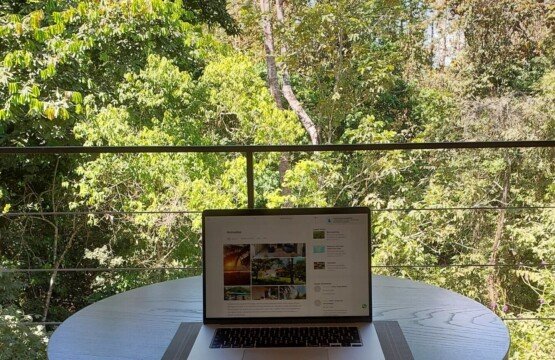
You land in Costa Rica with a surf plan and a work plan. The surf part is easy in Santa Teresa. The work part depends on one unglamorous detail: WiFi that holds steady when you actually need it.
If you are searching for a villa with fast wifi Santa Teresa, it helps to know what “fast” looks like on the Nicoya Peninsula, what can quietly slow things down, and how to confirm internet quality before you book. This is not about chasing perfect city-level fibre. It is about getting reliable, usable internet in a place that is proudly more jungle than downtown.
In major Canadian cities, “fast” often means huge download numbers and near-zero latency. In Santa Teresa, “fast” is more practical: stable video calls, quick file uploads, and streaming that does not pause every five minutes.
A good target for remote work is internet that can consistently handle your real workload, not just a speed test screenshot from a quiet moment. For most travellers, that means being able to do two video calls a day, upload photos or project files, and keep messaging tools running in the background without stress.
There is also a trade-off worth naming: some stays advertise very high peak speeds but feel frustrating because the connection drops or the router is placed poorly. In the real world, stability usually matters more than a headline number.
Santa Teresa and the nearby communities are constantly improving, but internet performance can still vary from one road to the next. A few local realities affect WiFi more here than people expect.
Two properties can have the same internet provider and very different results because of how the service reaches the home. Distance from equipment, line quality, and local network congestion can all show up as inconsistent speeds, especially at peak times.
Tropical rain is part of the experience. It is also part of why you want a host who takes connectivity seriously. Heavy storms can affect service quality, and salty coastal air plus humidity can be hard on hardware over time. Well-maintained equipment makes a noticeable difference.
Concrete walls, metal roofing, and closed bedrooms with AC can weaken signal. A villa can have great internet at the modem and weak WiFi in the bedroom where you plan to work. This is why it is worth asking about router location, repeaters, or a mesh system if you need coverage in multiple rooms.
If a property is set up for families or groups, multiple devices will be online at once. Video calls, streaming, cloud backups, and game updates can all compete for the same bandwidth. A “fast” connection for one laptop can feel very different when four people are streaming in the evening.
You do not need to turn your vacation into an IT audit. A few simple questions can reveal a lot, and good hosts will answer clearly.
Ask for recent speed test results and the context around them. The most helpful detail is not a single number, but when it was taken and whether it was on WiFi or Ethernet. If you will be working, ask whether they have tested during common peak hours.
Next, confirm where people actually work successfully. A listing can say “WiFi included,” but that does not tell you if guests take Zoom calls from the kitchen table, the bedroom, or only on a patio near the router. If you need quiet for calls, ask if the villa has a comfortable indoor work spot, not just good signal outdoors.
If your work involves frequent uploads, mention that specifically. Upload speed and latency are what make video calls feel smooth and what keeps large files from taking all afternoon.
Finally, ask what the backup plan is. This is Costa Rica – sometimes there are outages. Some hosts have a secondary line, a mobile hotspot option, or a support person who can troubleshoot quickly. Even just knowing who to contact and how fast help arrives can reduce stress.
Fast WiFi is only one part of a productive stay. The most comfortable workdays in Santa Teresa usually come from a few practical details that are easy to overlook in photos.
A dedicated table and chair beats balancing a laptop on a couch. It sounds obvious, but many beautiful vacation rentals are designed for lounging, not for a six-hour work block. If you have deadlines, prioritize a simple, ergonomic setup.
Air conditioning matters more than people think. Your brain works differently in heat and humidity, and laptops can throttle performance when they run hot. If you plan to work midday, a cooled indoor space can be the difference between feeling calm and feeling drained.
Reliable power is part of “reliable WiFi.” If the area has occasional power interruptions, ask whether the property has any backup power solutions or at least surge protection. You do not need to be paranoid, but you do want to protect your work time.
Some guests picture Santa Teresa as one main strip. In reality, where you stay influences both your internet experience and your day-to-day rhythm.
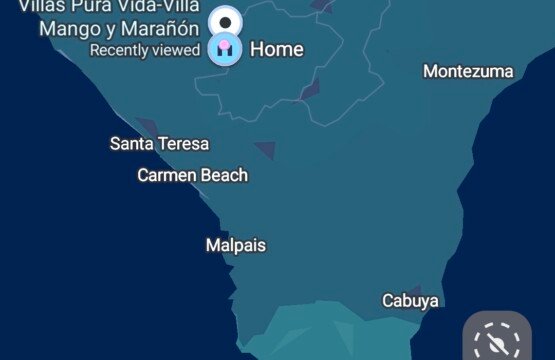
If you stay right in the busiest beach area, you get walkable access to restaurants and surf spots, but you may also get more noise and more local congestion at certain times. If you stay slightly outside the centre, in areas like Río Negro or closer to Cóbano, you often trade a few extra minutes of driving for more quiet, more wildlife, and a calmer place to work.
It depends on your trip. If you are here for a short surf-focused vacation and you will only check email, being central can be perfect. If you have meetings and need deeper focus, a peaceful setting can make your workdays feel lighter, and your beach time more restorative.
Many travellers assume they can “just hotspot” if the WiFi drops. Sometimes that works well, sometimes it is unreliable, and sometimes it is fine for messaging but not for video calls.
If your work is sensitive to interruptions, consider arriving with a plan. An unlocked phone, a local SIM or eSIM option, and a data plan that fits your usage can help. Still, think of hotspot as a backup, not the main strategy.
Also remember that coverage can vary based on the exact location of the villa, the time of day, and weather. When a host knows their property well, they can usually tell you honestly whether cell backup is strong on-site.
If you want a simple message you can copy into your booking inquiry, this usually gets the clarity you need without sounding demanding.
Ask: Can you share a recent WiFi speed test (download, upload, ping) and confirm where the router is located? Is the connection stable for video calls during the day? If the internet goes down, what is the usual fix or backup?
A host who is used to remote workers will answer in a practical way. If the response is vague, that is useful information too.
When you are booking a villa, you are not only booking a building. You are booking how problems get handled.
With an attentive, owner-hosted stay, small issues tend to get solved faster because the person helping you knows the property, the equipment, and the local service providers. That can matter a lot when the alternative is losing half a workday waiting for someone to respond.
If you are looking in the Santa Teresa region for a nature-immersed villa that still takes modern comfort seriously, Villas Pura Vida (https://villaspuravida.com/) hosts a small collection of fully equipped villas and keeps the experience personal. For many guests, that mix of privacy, calm surroundings, and practical support is what makes a longer stay actually work.
When you choose the right villa, you stop thinking about the internet. You take your calls, upload what you need, and close the laptop without that lingering worry that tomorrow will be a connectivity scramble.
Santa Teresa is a place where the days feel full quickly – sunrise surf, warm afternoons, wildlife in the trees, quiet nights. If your WiFi is dependable, you get to enjoy all of that without negotiating with your calendar.
Book a place that respects your work hours, ask the simple questions upfront, and give yourself permission to protect your focus. Your time here is valuable, and the right setup makes it feel that way.


Use this buyer inspection example Cobano... Read More

Choose a quiet villa surrounded by... Read More

Plan a jungle stay near Santa... Read More

If the digital nomad is looking for tranquility, space, high-speed internet and the chance…
You are very welcome and thanks for your comment. We really appreciate it.
Once you’ve nailed down the desired functionality of your new patio, think about the…
This was helpful. Found this the other day and it cleared a lot up.…
phskycasino has some great games, and I'm really enjoying them. Definitely worth checking out…

Enter your email address and we will send you a link to change your password.

[…] booking, confirm that the property has reliable Wi-Fi and ask practical questions if your work depends on video calls, uploads, or client meetings. Good […]
[…] includes fast enough internet to work or stream, air conditioning for sleeping well, a proper kitchen, laundry, secure parking, […]
[…] is a real appeal in trading winter schedules for warm mornings and flexible days. A villa with practical amenities supports that shift. It feels less like surviving a trip and more like living well for a […]
[…] conditioning matters in this climate, especially for sleep. Reliable Wi-Fi matters if you are working remotely or simply want a smoother stay. A proper kitchen matters more […]
[…] only evaluating price per square metre. They are looking at quality of life, access roads, water, internet reliability, and how the property will actually function day to […]
[…] Reliable Wi-Fi matters if you are working remotely or just trying to plan your next stop. Air conditioning can make a big difference in the hotter months, especially for light sleepers. A proper kitchen, laundry, and secure parking are not glamorous details, but they change the experience for longer stays. […]
[…] air conditioning for hot afternoons, and a layout that lets one person work while another relaxes. Strong internet is part of that, of course, but it is rarely the only deciding […]
[…] with the basics you will use every day. Reliable Wi-Fi matters if you work remotely or stream often. Air conditioning may be non-negotiable for some […]
[…] accommodation matters more than the destination name alone. A well-equipped villa or apartment with reliable Wi-Fi, air conditioning, a kitchen, and laundry will shape your stay more than whether you picked the front beach villa. […]
[…] this market, guests tend to book places that reduce friction. Reliable Wi-Fi matters more than some owners expect. Air conditioning in bedrooms is often non-negotiable, but it is good to have the choice.[…]
[…] plan properly. If you expect to work during your stay, the best setup is a property with both strong Wi-Fi and at least one comfortable place to sit for a few focused hours. Then everything will become better and easierthan ever. […]
[…] is why strong Wi-Fi sits near the top of any realistic list of best amenities for extended stays. Speed matters, but also the space and comfortable villa to work on as well. […]
[…] Amenities quickly become part of the holiday: an equipped kitchen, a functional fridge, laundry, strong internet, comfortable seating, and cooling in the sleeping rooms makes everything a wonderful experience. […]